Biobug.org

Projects, notes, etc by Will O’Brien

Entries


My WishList
Resume
Want My Coffee?

Production

Photo Gallery
Articles
Podcasting
News

Amusements

Audio
Brewing
Cigars
Coffee
GPS/GeoCaching
Hacks
Home Theater
Kayak
Machine Shop
Photography
Recipes
SCUBA Diving

Research

CNC
CAD
Scripts
VR Interface
Environment
KarKomp
KarKompV2
MythTV

Reference

OWLNet
Quit Soda
Mac
Linux
Tech Ref
Panasonic Toughbook
Dreamhost hosting

Communication

Blackberry
T-mobile MDA
Danger Sidekick
WRT54G(s)

Transport

4Runner
Beetle
Jeeps
Motorcycles
EV Motorcycle
About
Links
Search

Hacking the eye-fi to keep your data home
14 March, 2009 (23:36) | Projects, Toys

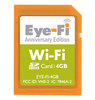
The eye-fi is pretty sweet. However, the built in client connects to the eye-fi manager, which hands off your data to the eye-fi servers. In order to keep my data home, I had to cut out the manager. Using the afore mentioned python script to act as an agent on my ubuntu server, I added in a call to gup – a python based command line gallery2 uploader. The script would probably suffer from performance over a choked internet pipe, but I’ve got a local gallery2 install on the same server. Now I can take photos, they’re immediately uploaded to the server via EyeFiServer.py. Each time EyeFiServer gets an image, it calls gup.py and uploads the image to an ‘incoming’ gallery on my server. It’s a bit of a rube goldberg, but it works really well.

Now I can take a photo, and within 10 seconds or so, it’s been added to my personal Gallery2 server – ready for storing, sorting and editing.

You can grab my modded version of the EyeFiServer here.

« Eye-fi: handy for the lazy geek

 New (old) server for the house »

Comments

Comment from Andrew
Time: March 16, 2009, 3:25 am

Outstanding! My wife is a photographer and this would be very useful for her at her studio.

Comment from Daniel
Time: March 23, 2009, 12:40 pm

I’ve heard the eye-fi can’t transfer raw images (.CR2) etc. With this server, can you remove that restriction?

Comment from Erik
Time: March 25, 2009, 9:05 am

Hey, I saw Jeff’s code back in Feb. Here’s my dilemma, how do I use it? I have both a Mac (OS X) and a PC running Vista (32-bit). I’d like to get this running on my two main machines, but have never used Python. Any help would be greatly appreciated.

Comment from itfrancel
Time: June 19, 2009, 4:36 pm

I would like to know if there is a way to use this card as a wireless NAS, even thou its quite small it would be great to be able to copy data to it wirelessly. I have a good size digital frame that i would like to make wireless, Do you think there is a way to make it run samba or any way I can dump my images/ files to it wirelessly thanks

Comment from Mike
Time: July 16, 2009, 9:20 pm

Excellent! I hate sending any data that I dont have to, into “the cloud”.

Comment from Kali
Time: November 27, 2009, 2:12 am

Is it at all, possible to hack this card to use the wifi module to receive wifi signals in devices such as… oh, I don’t know, let’s say a Palm Treo 700P PDA cell phone?

It’ll be awesome if this card can be hacked and turn into some sort of wifi card for use with older mobile phones that didn’t come with the built-in wifi.

Comment from Vegard
Time: February 10, 2010, 10:24 pm

Is there any way you could use the eye-fi to accept data that’s not photos and send it where you want it to sent it. Let’s say I connected a device on the door to my house. And if someone opened the door the device has a eye-fi card that will send a message to my home computer that in turn would send and email and notify me.

If you know of any ways I can get the eye-fi to work for me like this, please contact me.

by the way, the door example is just a random idea.. I have endless ideas of how to use the eye-fi technology.

Hope to hear from you.

Write a comment